Unity Tools
Editor scripts I've written for Unity over the years. Free to use.
C#, Unity, Editor Tools
One of my favorite things in game development is making tools and productivity scripts, here are a couple of small scripts for quality of life improvements in Unity.
Set Anchors To Position
The most frustrating part of Unity's UI system: it works great, until you move on to a different resolution and maybe you forgot to change the canvas scalar settings to fit whatever resolution you currently worked on and now you have to go back and figure out locations for everything. So, I made a simple script that will lock any UI element's anchors to where its rect transform is currently at.
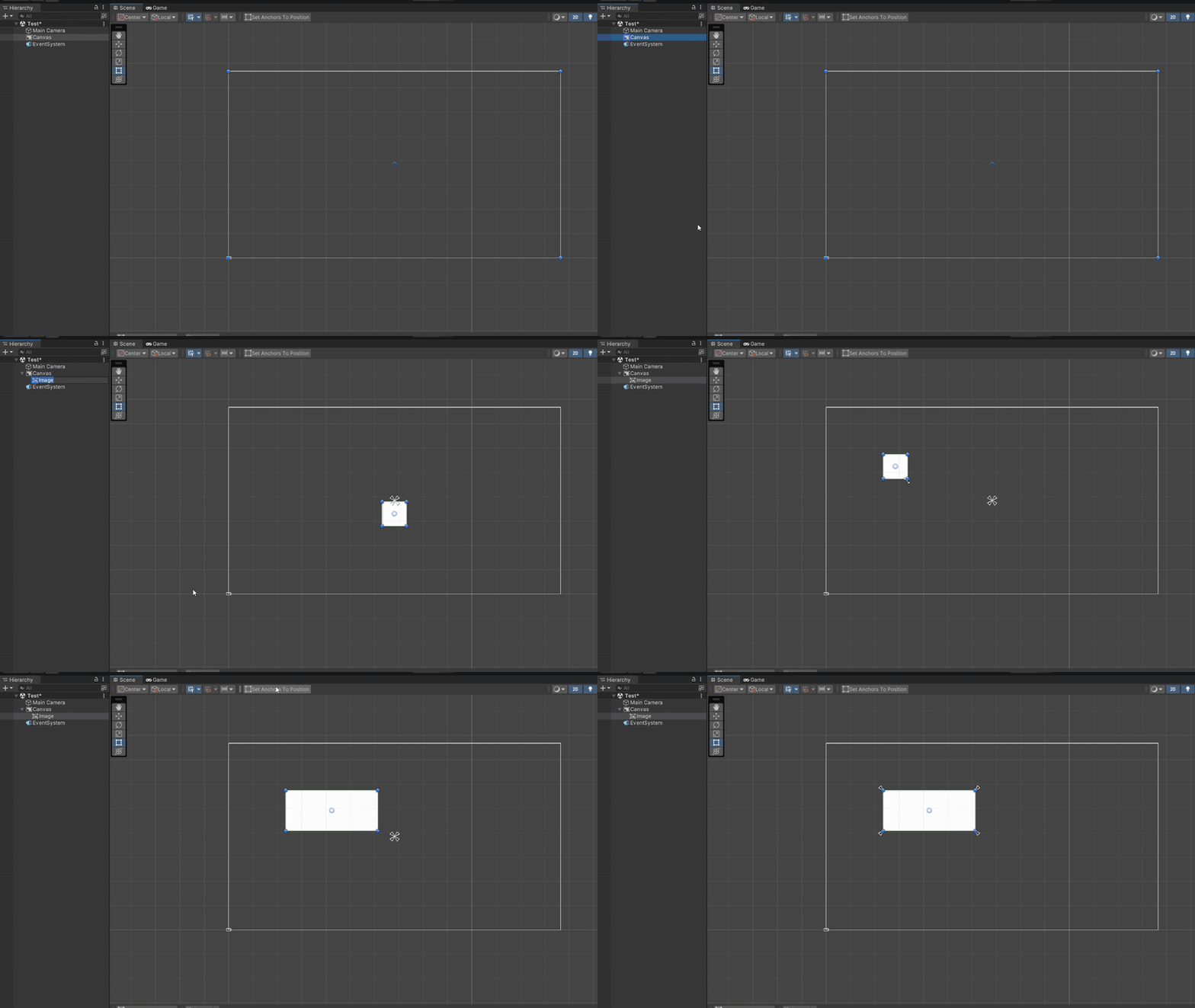
UtilityFunctionsOverlay.cs
Mesh Utils
I have been working with meshes for a while now, more specifically, procedurally generated meshes. This brought up a need for a bunch of different utilities, saving a randomized mesh, editing existing meshes in blender or mass saving a complicated set mesh so that you can load it back quickly without running the generation code. This script saves generated meshes as assets, so you can edit them in Blender or reload a complex result without rerunning the generator.
MeshUtils.cs
API Docs Generator
While working on Tower I found my codebase was getting very big with a lot of repetitive functionalities, I wanted to have a way to view all functions in the codebase and search through them so I don't end up repeating myself. Coming from web development I was used to having an automatic documentation generator for my APIs, whenever you create a backend server you typically have to write a lot of documentation for your API endpoints, that was what I was trying to achieve here. This script generates a json file that you can later load into a website that will display all your functions. If you want to use it you need to also download this vanilla website and unzip it in your assets folder.
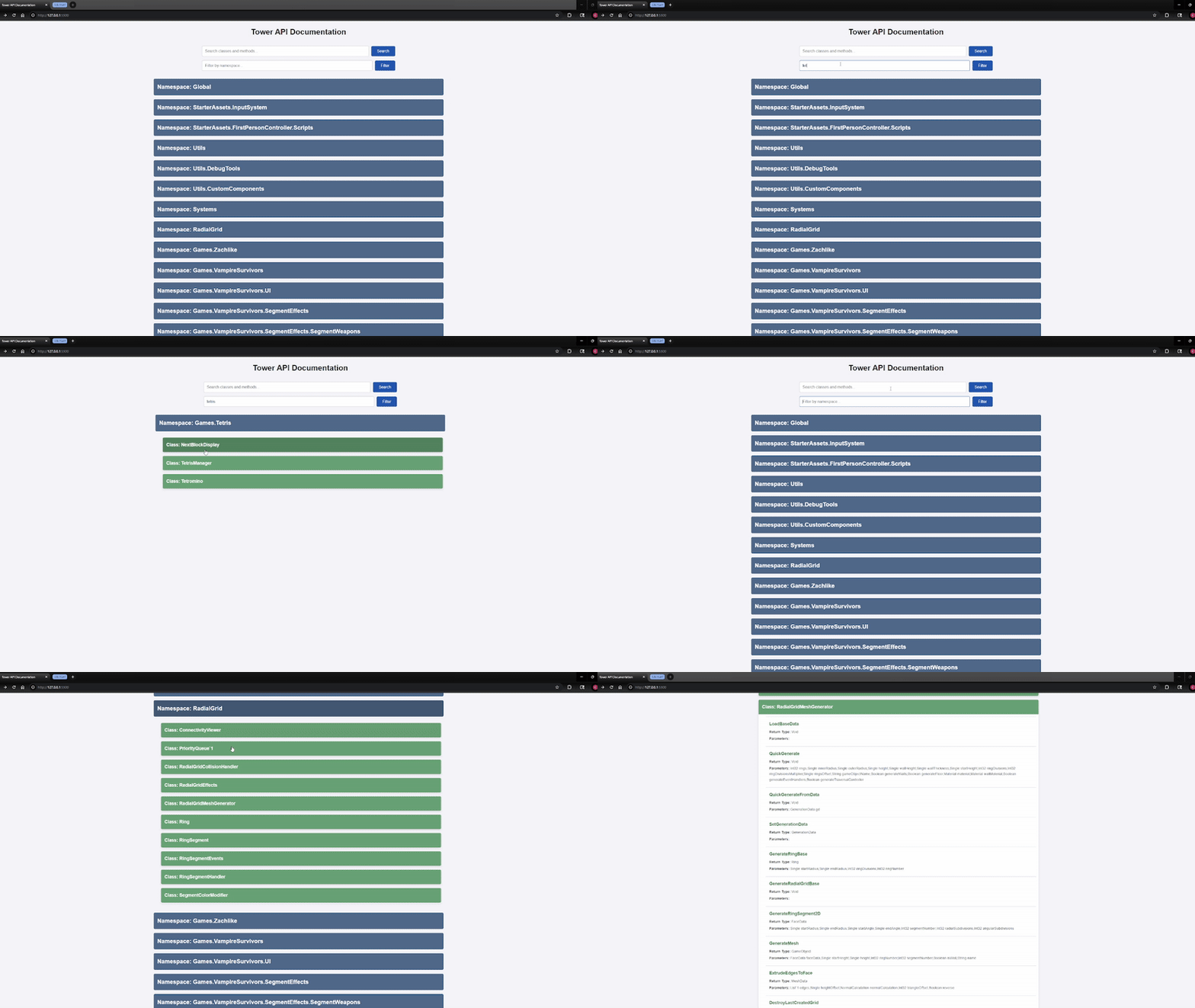
ReflectionDocumentationGenerator.cs